
Manage companies
Group customers by company, route their new tickets to one teammate, and filter tickets by company in Tickets.
Search portal content
Search portal content
Group customers by company, route their new tickets to one teammate, and filter tickets by company in Tickets.
Group customers by company, route their new tickets to one teammate, and filter tickets by company in Tickets.
A company groups the people who write to you from the same business. Once a customer belongs to a company, you can filter tickets by company, send their new tickets to one teammate by default, and, if you use the help center with customer accounts, let colleagues see each other's tickets.
Most organizations don't need companies. The Company row in the ticket sidebar stays hidden until your organization has created at least one.
acme.com. Press Enter or a comma after each one.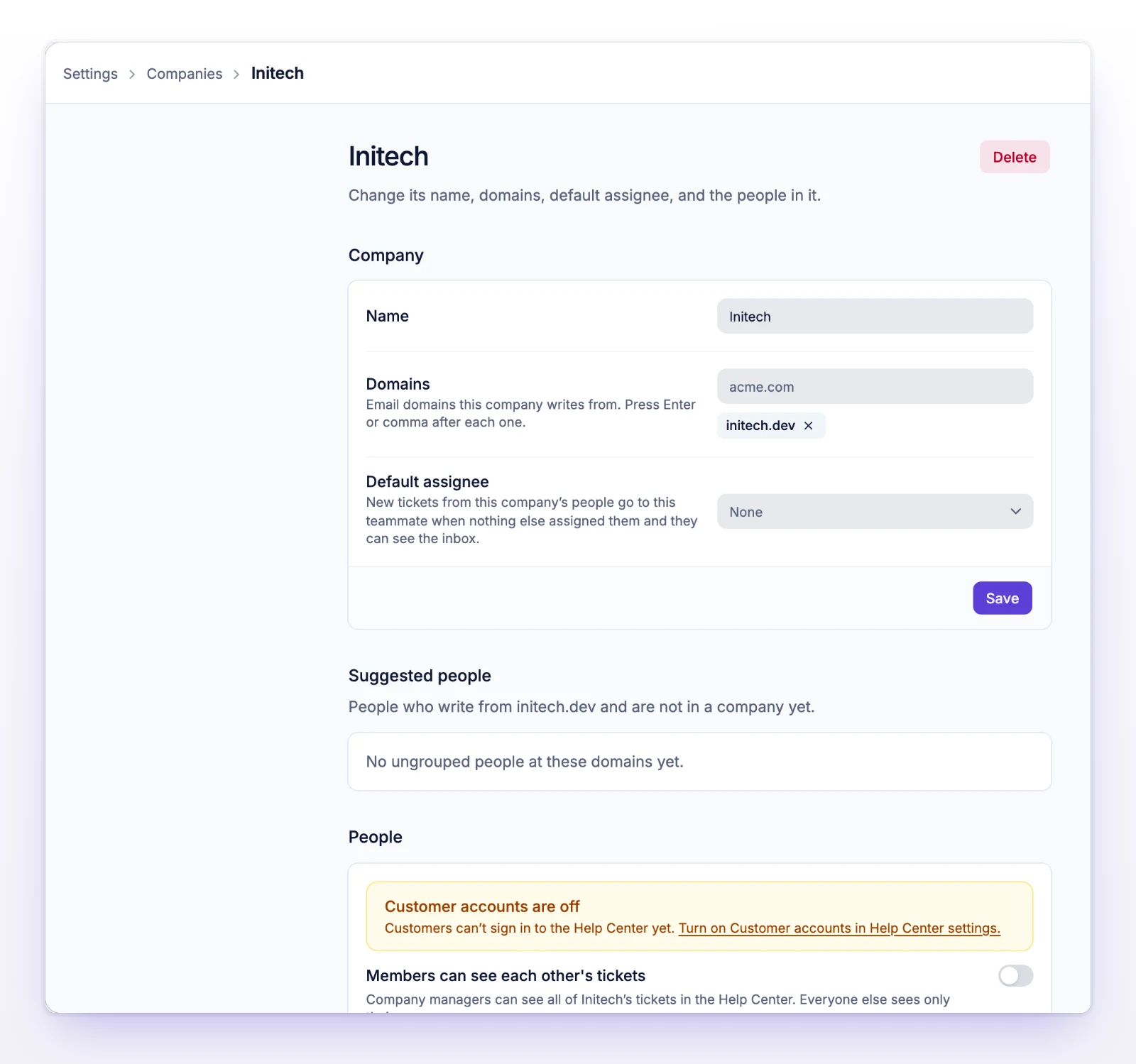
Rules for domains:
Domains only suggest people. Nobody is added to a company automatically.
Open the company, then use the People section.
If the person is already in another company, initdesk asks you to confirm the move. A person can be in one company at a time.
To remove someone, use the remove button on their row and confirm.
The Suggested people section lists people who write from the company's domains and aren't in any company yet. Select Attach these to add them all. The list shows up to 100 people. People who are already in another company show separately and aren't moved from here.
On a customer's own page, a button reads Attach with the count and the domain, for example "Attach 3 people from acme.com to Acme". It adds everyone from that domain who has no company.
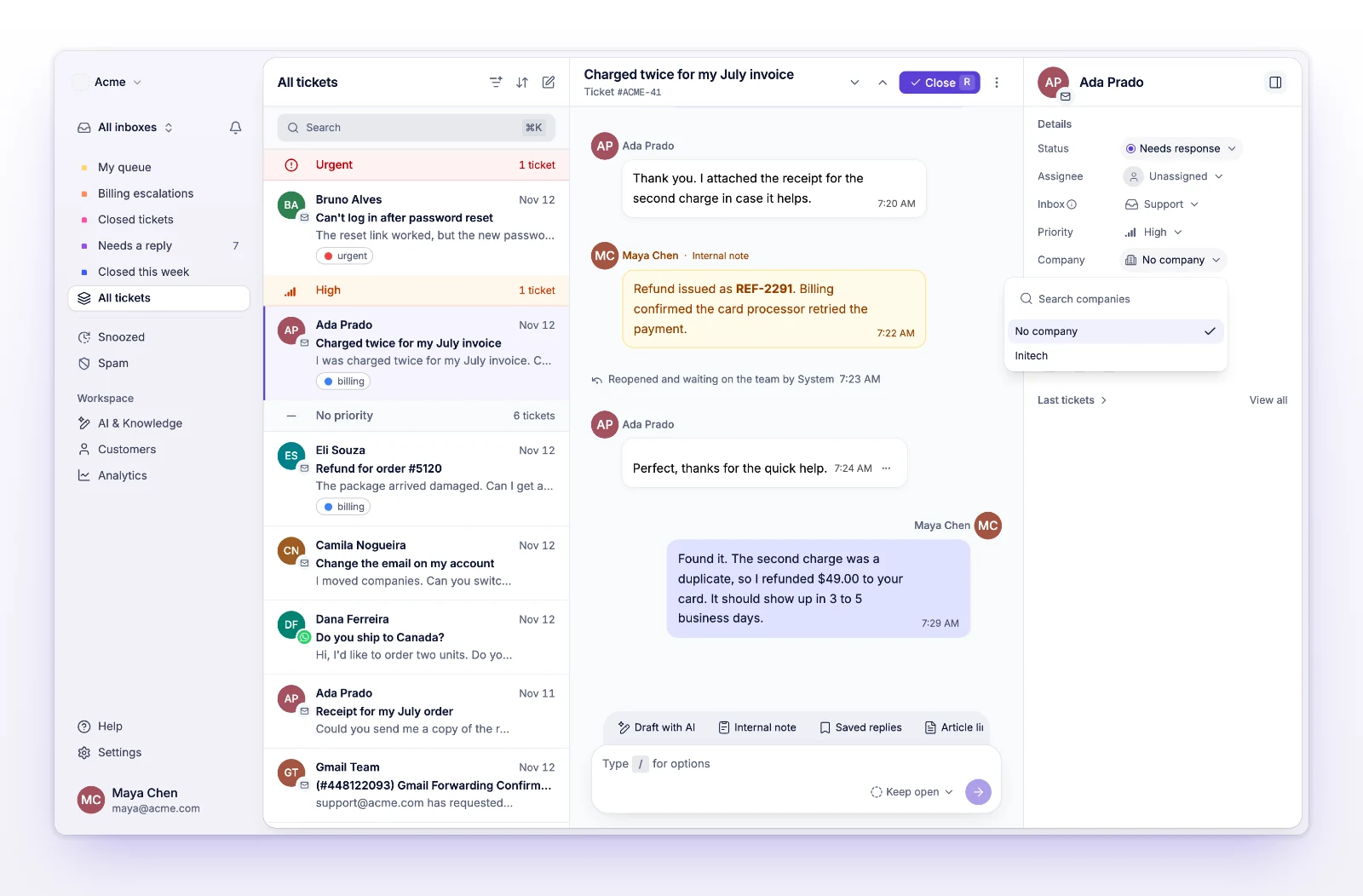
This changes the person, not only this ticket. All of their tickets, including past ones, move to the new company. Assignees on existing tickets don't change.
You can also set it from the customer's page. See Manage customers.
The list narrows to tickets whose requester is in that company. A Company: name chip shows above the list. Remove the chip to clear the filter.
Use the company's own domain instead, for example acme.com, not a free email domain.
The row only shows when your organization has at least one company, or when the person already belongs to one. Create a company first.
Someone else moved this person while you were working. Reload and check their current company.