
Snooze a ticket
Park a ticket until a set time. It leaves your queue and comes back when the time is up, or sooner if the customer replies.
Search portal content
Search portal content
Park a ticket until a set time. It leaves your queue and comes back when the time is up, or sooner if the customer replies.
Park a ticket until a set time. It leaves your queue and comes back when the time is up, or sooner if the customer replies.
Snooze a ticket when you can't move it forward yet: you're waiting on a shipment, a fix, or an answer from someone else. The ticket leaves your open queues and comes back at the time you pick. If the customer replies first, it comes back right away.
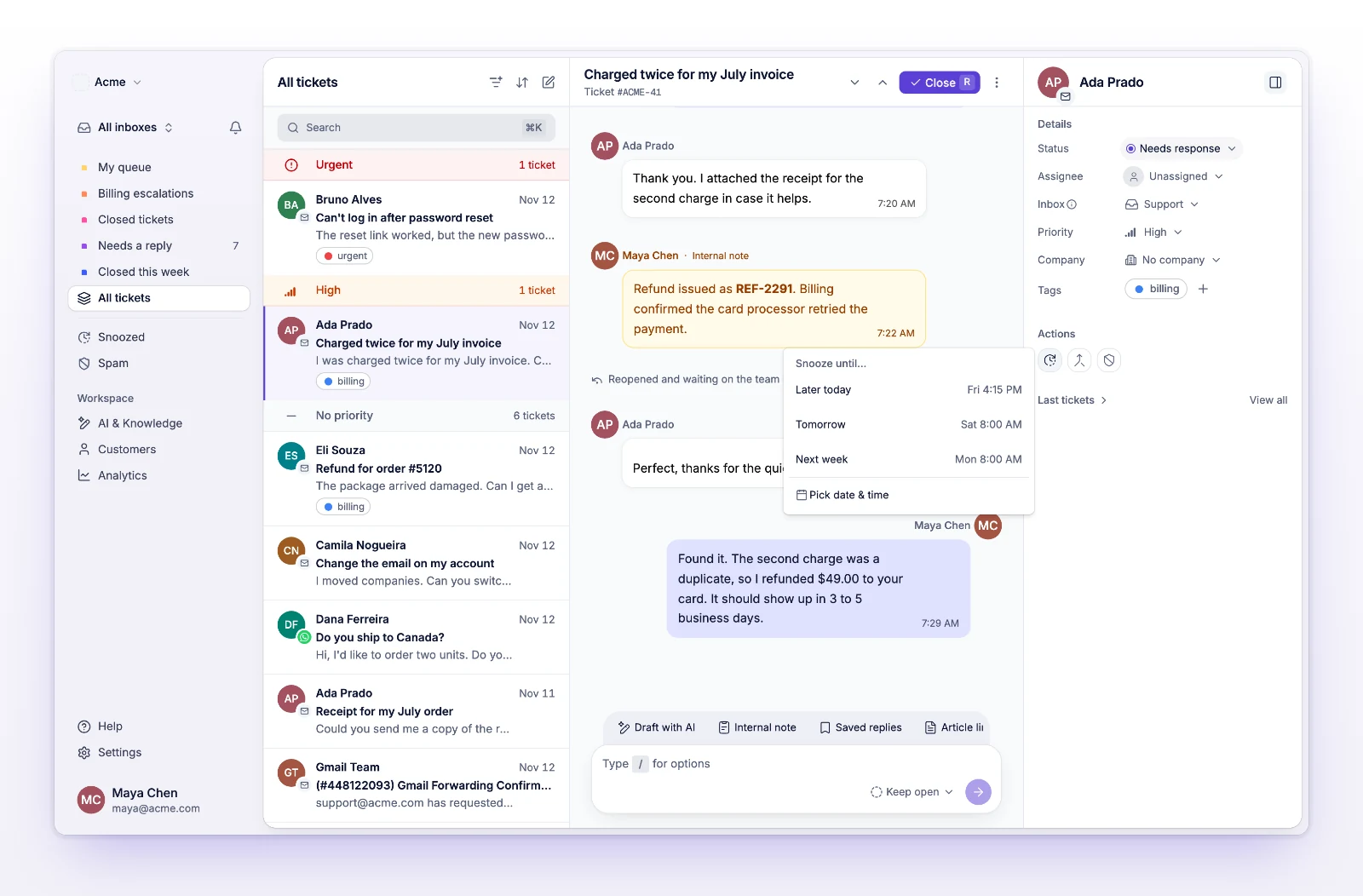
The ticket now shows Snoozed until with the date, and it drops out of your open queues.
You can snooze up to 90 days ahead. To change the time, snooze the ticket again with a new date. The new time replaces the old one.
Open the ticket and select Unsnooze. It returns to your open tickets right away.
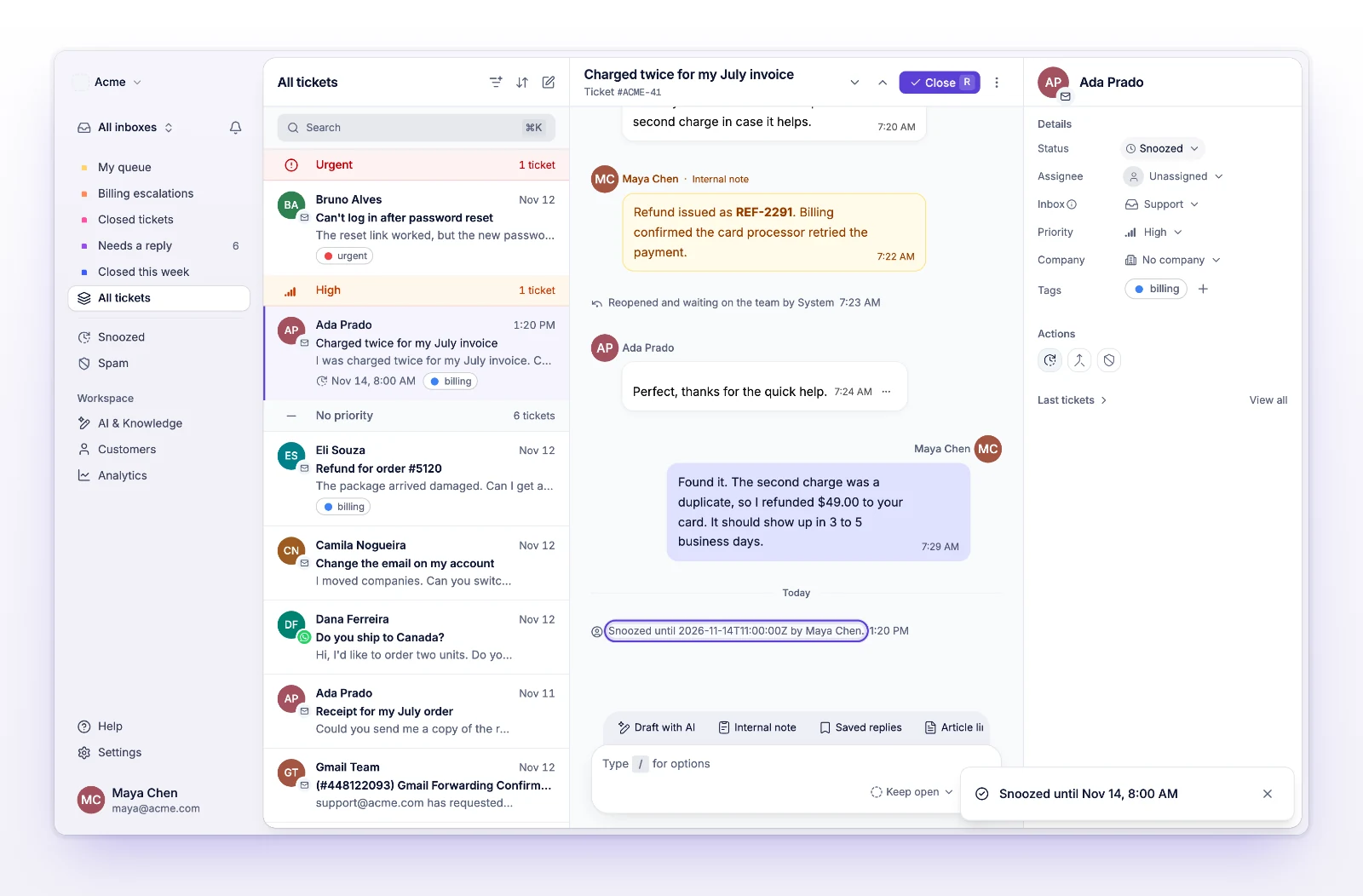
Open the Snoozed view in the ticket list to see everything that's parked and when each ticket comes back.
Want snoozed tickets in a view of your own? Add the Snoozed rule to a custom filter. See Save ticket views.
| When this happens | The ticket |
|---|---|
| The time you set arrives | Comes back as Needs response. The assignee and the person who snoozed it get a notification. |
| The customer replies, or someone in Cc does | Comes back right away, so you don't miss the reply. |
| You select Unsnooze | Comes back right away. |
| You close the ticket or report it as spam | Stops being snoozed. |
| You reply to the customer | Stays snoozed. You can reply and keep it parked. |
A few limits:
The ticket is closed or marked as spam. Reopen it first, then snooze it.
The date you picked is too far out. Choose a date within the next 90 days. If you need longer, snooze again when the ticket comes back.
You don't have access to this ticket's inbox. Ask an admin on your team to give you access.