
Set up auto-reply
Tell customers right away that their message arrived. Set one reply for business hours and one for after hours, per inbox.
Search portal content
Search portal content
Tell customers right away that their message arrived. Set one reply for business hours and one for after hours, per inbox.
Tell customers right away that their message arrived. Set one reply for business hours and one for after hours, per inbox.
An automatic reply tells a customer that their message arrived. Each inbox sends at most one reply per new ticket, and you can use a different message during business hours and outside them.
Account owners and admins set this up. It's per inbox, not for the whole organization. Both messages are off until you turn them on.
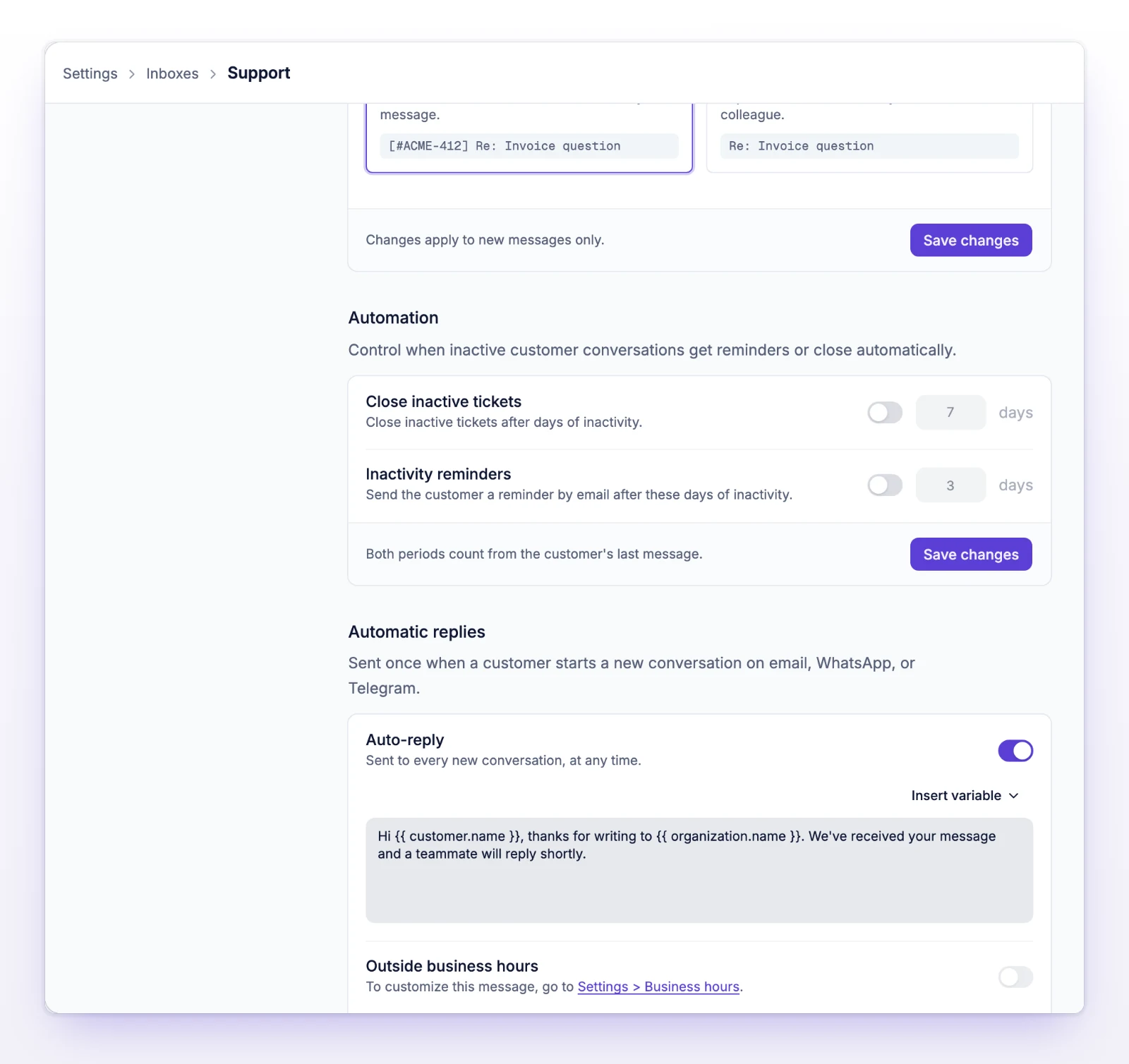
If you switch a message on and leave its box empty, initdesk fills it with a default in your organization's working language: English, Español, Português (Brasil), Français, or Nederlands. The default for During business hours is "Hi {{ customer.name }}, thanks for writing to {{ organization.name }}. We've received your message and a teammate will reply shortly."
The default for Outside business hours is "Thanks for your message. Customer service at {{ organization.name }} is outside business hours and will get back to you soon."
Saving stores the text you see. Changing the working language later doesn't rewrite a message you already saved.
What you see follows your business hours.
| Business hours | What the section shows |
|---|---|
| Not saved | One message, titled Auto-reply: "Sent to every new conversation, at any time." The Outside business hours row is off, with a link to Settings > Business hours. |
| Saved | During business hours ("Sent while the organization is open.") and Outside business hours ("Sent while the organization is closed, including a closed exception."). |
Without saved business hours, initdesk treats your organization as open at all times, so the outside-hours message can't send. Save a schedule to use it. If your schedule has no open days, During business hours never sends.
When both are on, each new ticket gets one or the other, never both. The message depends on when the ticket was created.
A message can be up to 4,000 characters. Insert these from Insert variable:
| Variable | What the customer sees |
|---|---|
Customer name {{ customer.name }} |
The customer's name |
Customer email {{ customer.email }} |
The customer's email. Often empty on WhatsApp. |
Ticket number {{ ticket.id }} |
The ticket's number. WhatsApp leaves it out. |
Organization name {{ organization.name }} |
Your organization name |
Next opening time {{ business_hours.next_open }} |
When you open next, in your working language. Only offered in Outside business hours. |
A placeholder that initdesk doesn't recognize is left blank.
Check these in order:
Shorten the message.
The section can't read your schedule. Select Try again, or open Edit hours to check Settings > Business hours.