
Set up your organization
Create an organization, set its name, logo, website, and working language, and delete it when you no longer need it.
Search portal content
Search portal content
Create an organization, set its name, logo, website, and working language, and delete it when you no longer need it.
Create an organization, set its name, logo, website, and working language, and delete it when you no longer need it.
An organization is your company's space in initdesk: its inboxes, tickets, team, and settings. You create it once, then keep its name, logo, and website up to date in Settings > General.
Settings > General is for owners and admins. If you're an associate, the page isn't in your Settings list. See Roles and permissions.
You create your first organization when you sign up. To add another one:

The Public ID has 3 to 32 characters: lowercase letters, numbers, and hyphens. It can't be only numbers. You can't change it after you create the organization, so pick it with care. If you see "This public ID is already taken.", choose another.
If you see "You have reached the maximum number of organizations you can create. Contact support@initdesk.com to request additional organizations.", you've hit the creation limit. Write to support to raise it.
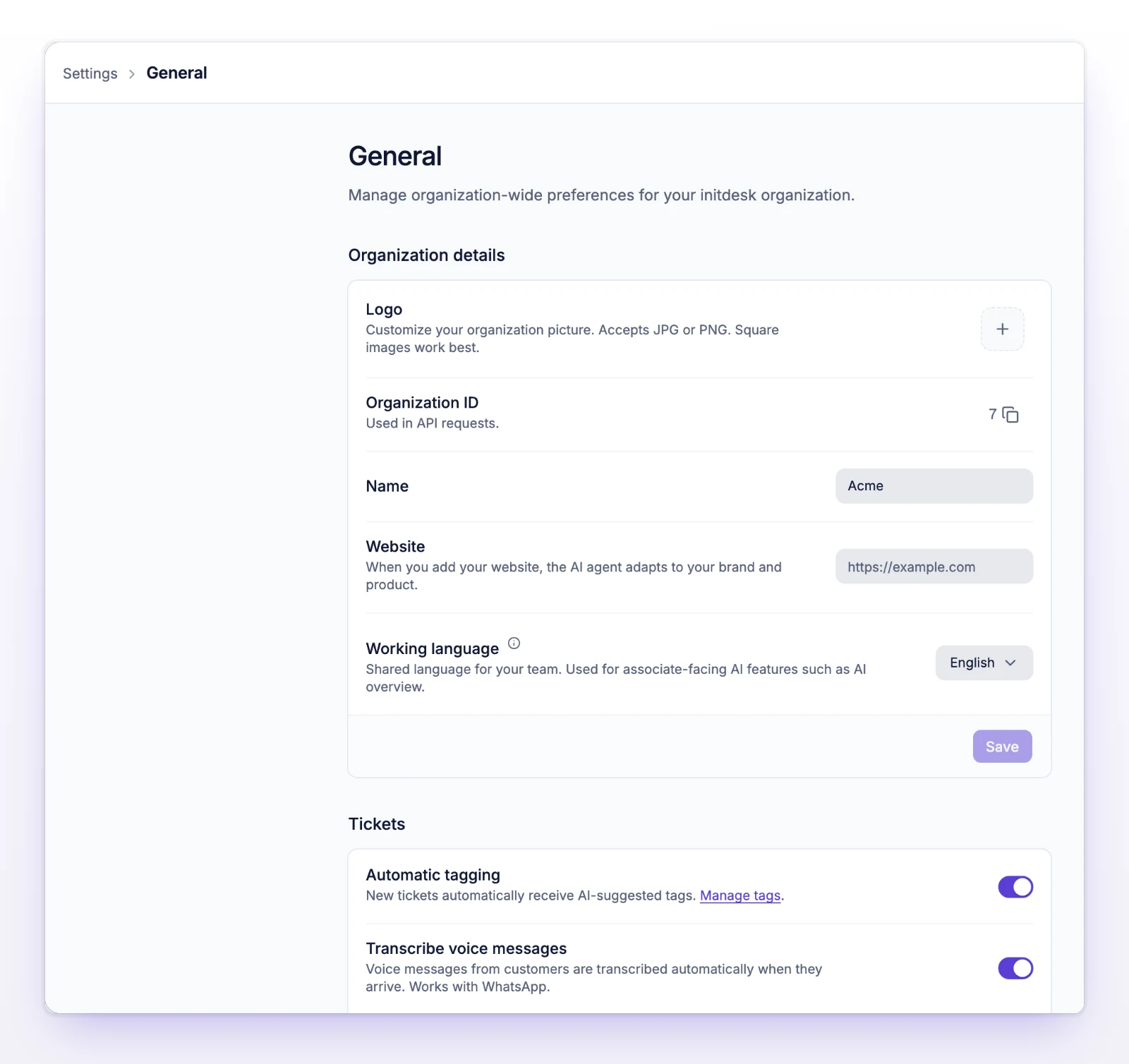
Organization ID shows the number your organization uses in API requests, with a button to copy it. It's not the same as the Public ID in your address.
Your logo appears next to the organization name in the sidebar switcher. It also makes the Branded starter available for email signatures. See Sender names and signatures.
If someone else changed the details while you were editing, you'll see "Organization details changed elsewhere. Load latest settings before saving." Select Load latest settings, then make your change again.
Working language is the shared language for your team. It applies to the AI features that write for your team, such as the AI overview of a ticket.
This is not the language of your screen. Each person picks that for themselves. See Change your language.
These save as soon as you change them.
| Setting | What it does |
|---|---|
| Automatic tagging | New tickets automatically get AI-suggested tags. See Auto-tag tickets. |
| Transcribe voice messages | Voice messages from customers are transcribed when they arrive. Works with WhatsApp. |
| Ticket ID format | Chooses how new ticket numbers look: Automatic numeric (1, 2, 3…), Random numeric (8 digits), or Alphanumeric (6 characters). Changes don't affect existing tickets. See Choose ticket numbering. |
Deleting an organization is permanent. It removes all tickets, inboxes, and Help Center content, and everyone loses access.
Owners and admins can delete an organization.