
Set up your help center
Name your help center, pick a layout, logo, and brand color, then publish it. Customers can search, browse, ask the AI chat, or open a ticket.
Search portal content
Search portal content
Name your help center, pick a layout, logo, and brand color, then publish it. Customers can search, browse, ask the AI chat, or open a ticket.
Name your help center, pick a layout, logo, and brand color, then publish it. Customers can search, browse, ask the AI chat, or open a ticket.
Your help center is a public site where customers search for answers, browse by topic, ask the AI chat, and open a ticket when they can't find what they need. Every published article also feeds the AI that drafts replies and answers customers in the chat.
Add at least one collection and one published article first. See Publish articles. A help center with no published articles is an empty page.
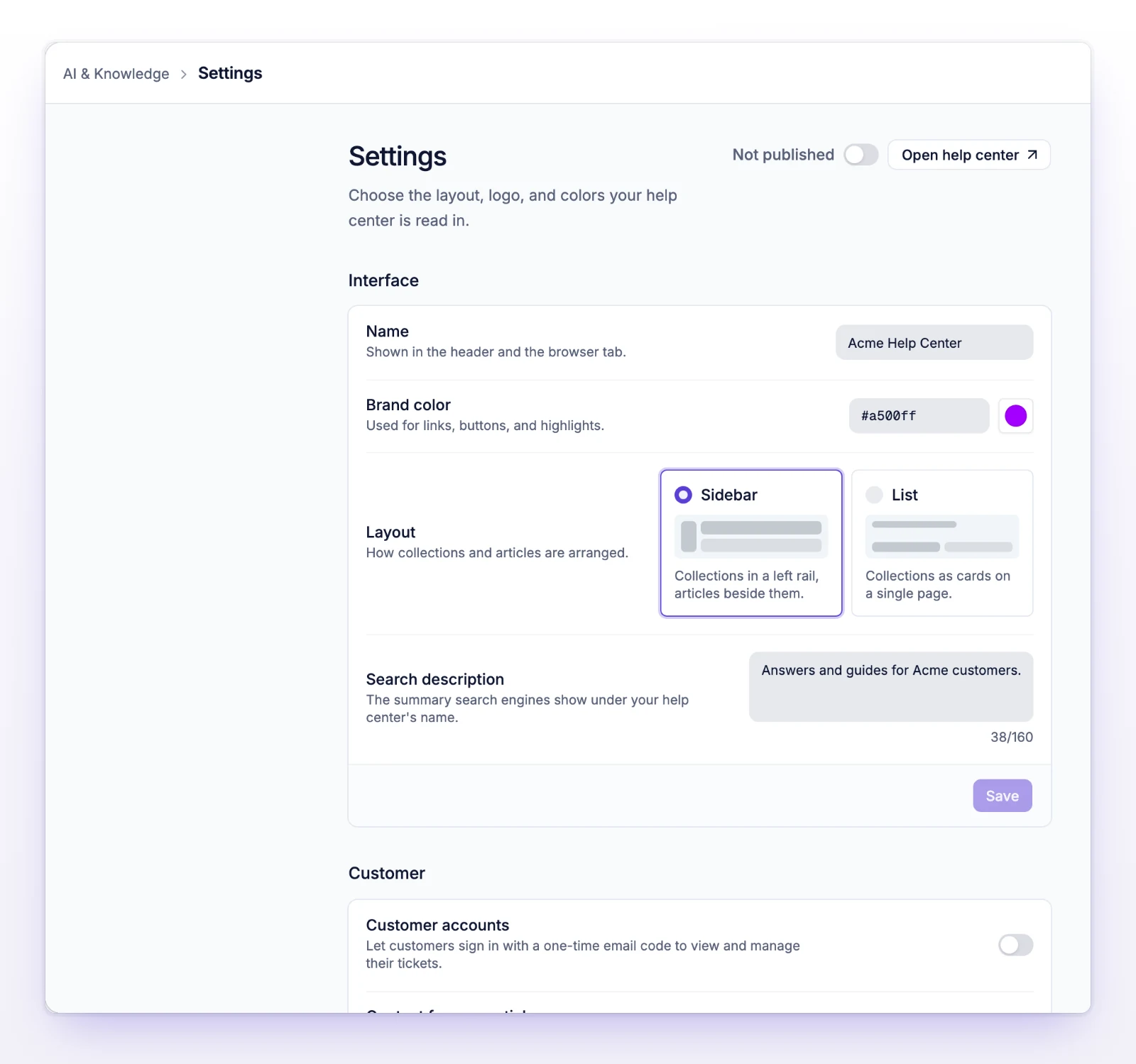
While it's Not published, anyone who opens the address gets a not-found page.
Fields in the Interface section save together. Select Save when you're done.
| Field | What it does |
|---|---|
| Name | Shown in the header and the browser tab. Up to 255 characters. |
| Brand color | Used for links, buttons, and highlights. Enter a hex color like #7c5cff, or use Pick a color. The AI chat uses it too. |
| Layout | Sidebar puts collections in a left rail with articles beside them. List shows collections as cards on a single page. |
| Search description | The summary search engines show under your help center's name. Up to 160 characters. Also used as the line under the name on the home page. |
The Images section saves as soon as you upload:
The Customer section has three switches. Each one saves as soon as you flip it.
Select Open help center in the page header. It opens your help center in a new tab.
Until you connect your own domain, the address is:
https://{your-public-id}.kb.center
{your-public-id} is your organization's Public ID, the one you chose when you created the organization. It's the short name in your initdesk address, /o/{your-public-id}. It can't be changed.
To use an address like help.yourcompany.com, see Use a custom domain. Open help center then opens your own domain once it's active.
The help center is Not published. Turn on the Published switch in the page header.
You haven't published an article yet. Publish at least one article.
The Brand color needs a hex code with a leading #, for example #2563eb.
Resize the logo or favicon and upload it again.