
Organize collections
Group articles into collections and subcollections, set an icon and address, reorder them, move articles between them, and delete them safely.
Search portal content
Search portal content
Group articles into collections and subcollections, set an icon and address, reorder them, move articles between them, and delete them safely.
Group articles into collections and subcollections, set an icon and address, reorder them, move articles between them, and delete them safely.
Collections are the chapters customers browse. Articles go inside them. A collection can also hold subcollections, so you can group a long list of articles by topic.
The new collection appears at the top level. If you have no collections yet, the page says "Start with a collection".
To create a collection inside another one, open the menu on the parent's row and choose New subcollection.
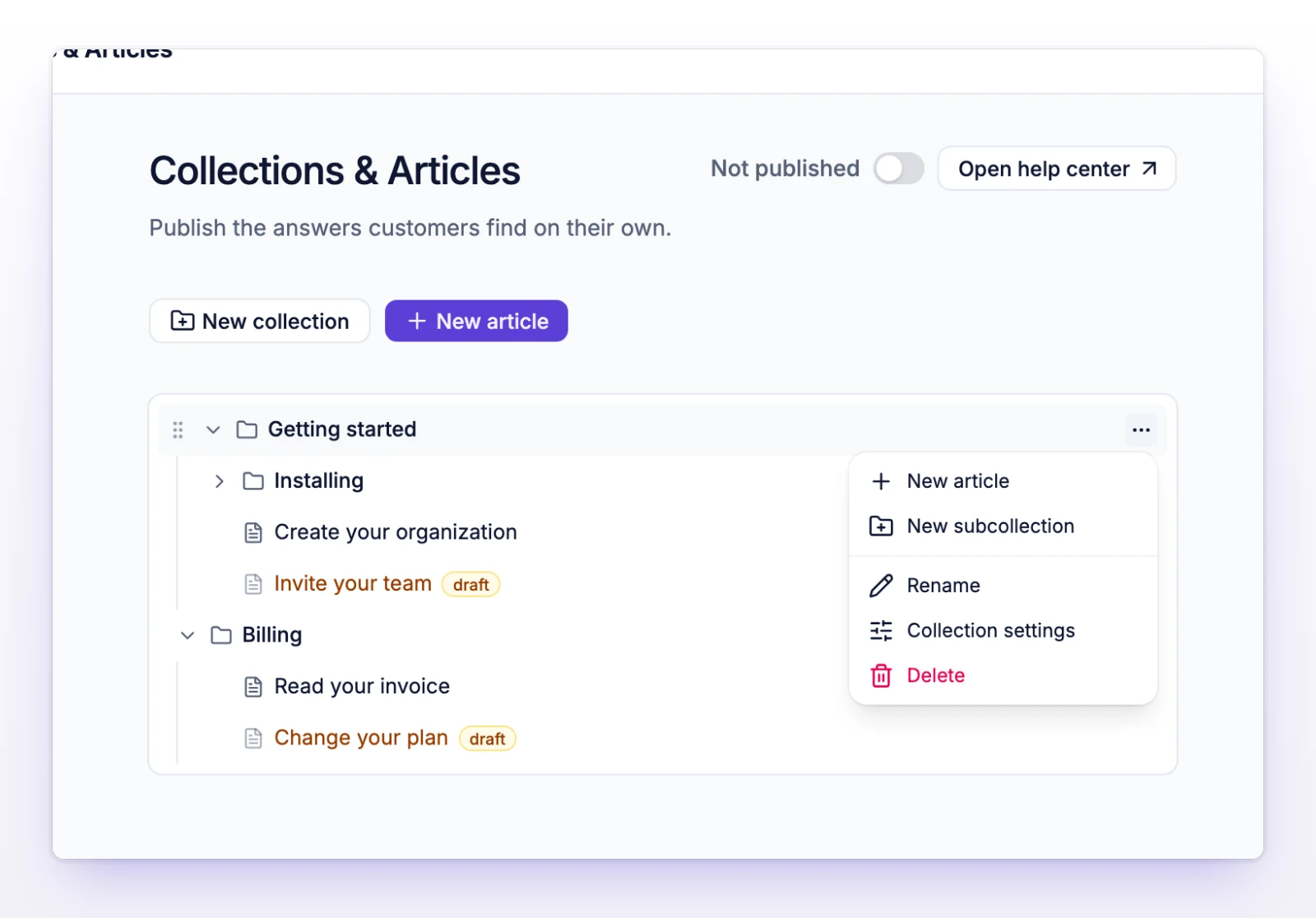
Open the menu on a collection's row and choose Collection settings. Use Rename to change only the name.
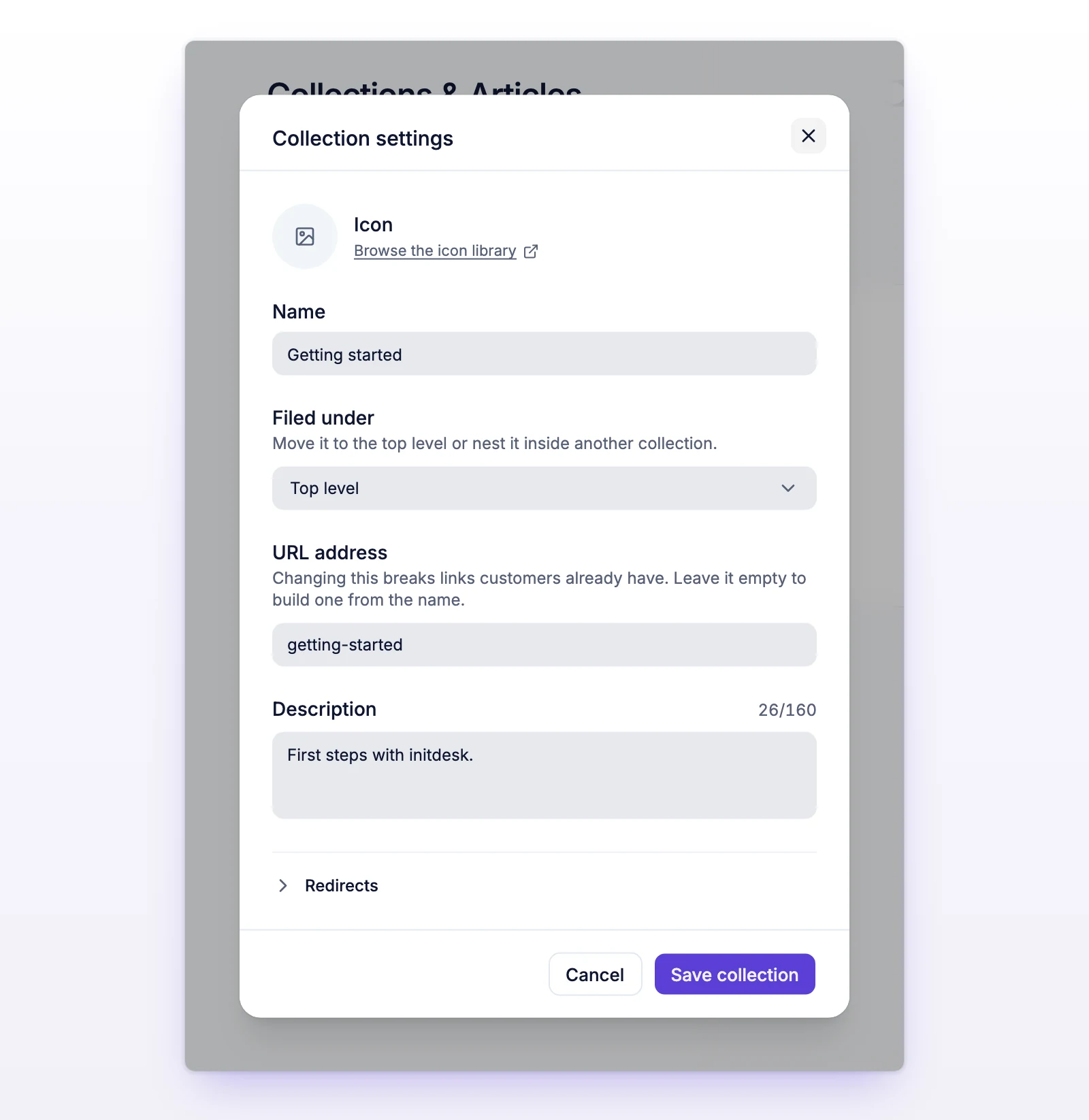
| Field | What it does |
|---|---|
| Name | The collection's title in your help center. Up to 255 characters. |
| Filed under | Where it sits: Top level, or inside another collection. |
| Icon | A small picture shown with the collection. Choose Choose an icon and type at least 2 characters in Search icons…. Use Browse the icon library to look through all of them, or Clear icon to remove it. |
| URL address | The collection's part of every link inside it. It follows the name until you edit it. Lowercase letters, numbers, and single hyphens only. |
| Description | Up to 160 characters. Shown on the collection's card on the home page and used by search engines. |
Select Save collection to keep your changes.
The order you set here is the order customers see.
Collections move among collections at the same level. To move a collection into or out of another one, change Filed under in its settings, or drag it beside a collection at the level you want.
Do either of these:
Moving an article changes its address. See Set up redirects.
If the collection holds articles, the message tells you how many: "Deleting it removes them from your help center too." They're deleted with it. Move any article you want to keep first.
When you delete a collection, the redirects pointing to it are removed too.
/billing/cards/{article}.Another collection or article at that level uses the name. Pick a different name.
Change the URL address.
The new order didn't save. The list shows the real order again. Try the move once more.