
Connect Linear
Create a Linear issue or link an existing one from a ticket, and get the ticket back in your queue when the issue is done.
Search portal content
Search portal content
Create a Linear issue or link an existing one from a ticket, and get the ticket back in your queue when the issue is done.
Create a Linear issue or link an existing one from a ticket, and get the ticket back in your queue when the issue is done.
Connect Linear when bugs and requests from customers turn into product work. Your team creates an issue from the ticket, or links an issue that already exists, and when the issue is done the ticket comes back to the team so someone can tell the customer.
You return to initdesk with "Linear connected." The Connection section shows your Workspace and when you connected.
In Issue defaults:
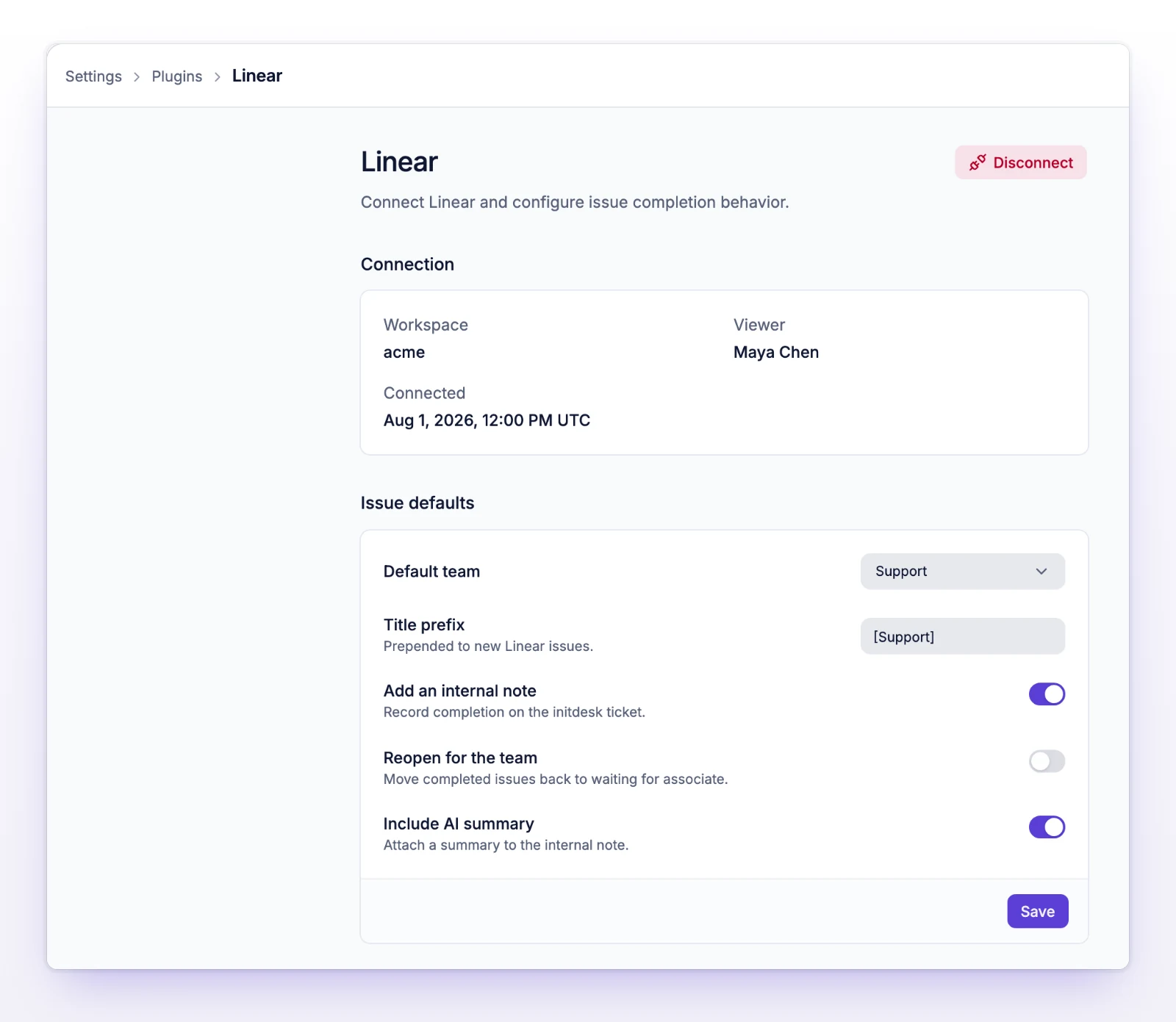
Select Save.
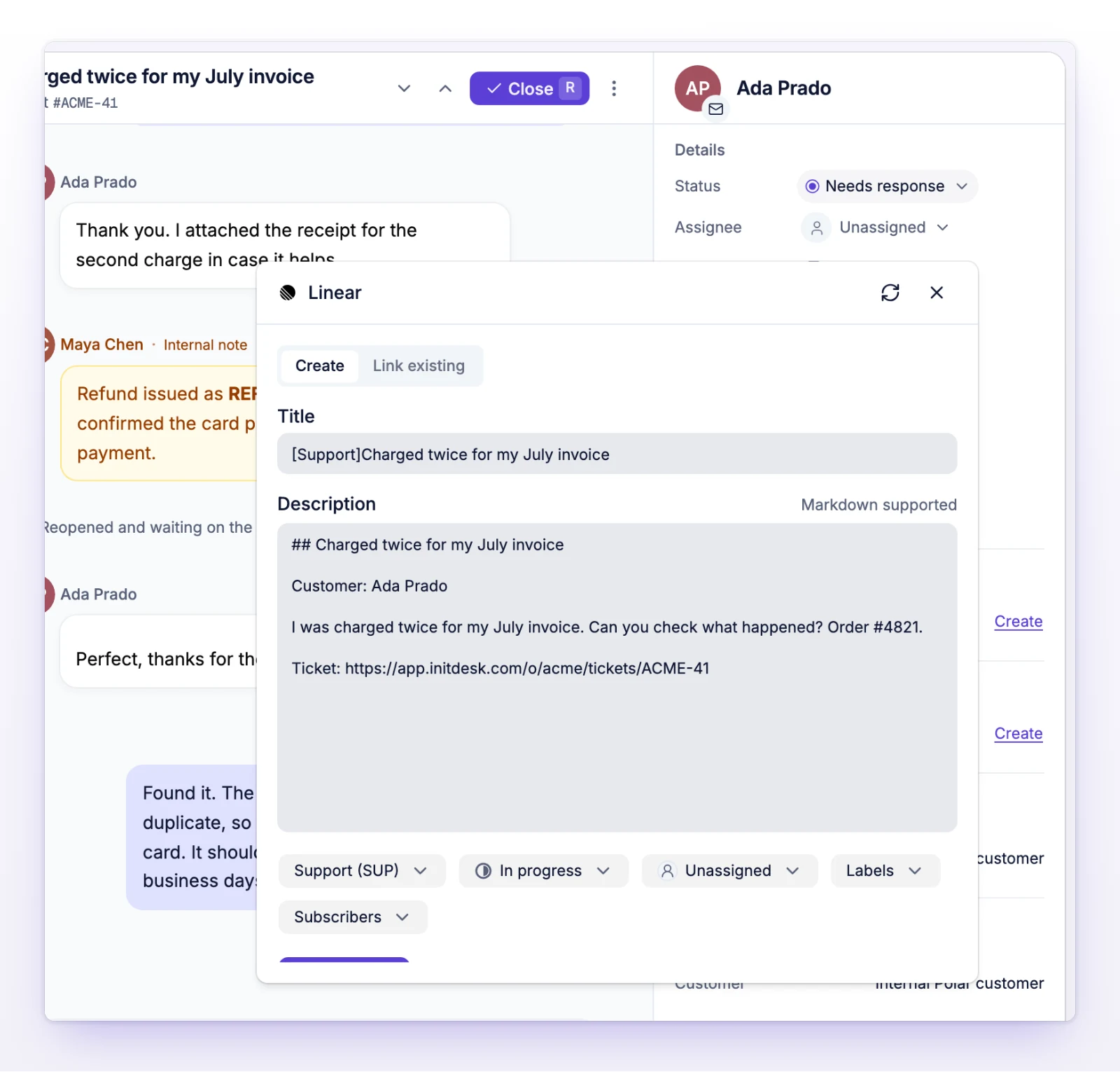
The issue title is your prefix plus the ticket subject. If you leave Description empty, initdesk uses the ticket's text and adds a link back to the ticket. Closing the panel keeps your draft, and Cancel clears it.
The sidebar shows the issue title, its ID, and its Linear status. Use the icons to open it in Linear (View in Linear) or to unlink it.
When a linked issue moves to a completed status in Linear, initdesk reacts once, according to your defaults:
| Setting | What happens |
|---|---|
| Add an internal note | An internal note says the issue was marked as done, with a link to it. Customers never see it. |
| Include AI summary | The note also includes a short summary of the fix from the issue's description and comments. |
| Reopen for the team | The ticket goes back to Needs response so someone follows up with the customer. |
If an issue leaves its completed status and later completes again, initdesk reacts again. Nothing is sent to the customer automatically.
The issue stays in Linear. Only its connection to this ticket is removed.
The workspace connection and your defaults are removed. Issues already linked to tickets stay where they are.
An admin needs to connect Linear again from Settings > Plugins.
The Linear account that connected has no team it can create issues in. Reconnect with an account that does.
initdesk couldn't tell whether the create or link went through. Open the Linear section and check before you try again, so you don't create a duplicate.