
Use the MCP server
Add the initdesk MCP server to Claude, ChatGPT, or another assistant to search tickets, draft replies, and edit help center articles by chat.
Search portal content
Search portal content
Add the initdesk MCP server to Claude, ChatGPT, or another assistant to search tickets, draft replies, and edit help center articles by chat.
Add the initdesk MCP server to Claude, ChatGPT, or another assistant to search tickets, draft replies, and edit help center articles by chat.
MCP (Model Context Protocol) is an open standard that lets an AI assistant use tools in other products. With the initdesk MCP server, an assistant such as Claude or ChatGPT can search your tickets, draft replies, and edit help center articles while you chat with it.
The server address is:
https://mcp.initdesk.com/mcp
Follow Use initdesk in Claude to add the custom connector, complete sign-in, and check the connection. The guide also covers Team and Enterprise setup.
You can also add the server by hand. Turn on developer mode in ChatGPT, which needs a paid plan. Then add https://mcp.initdesk.com/mcp as a connector and log in to initdesk when asked.
Most clients take a remote server in their MCP or connectors settings. Add the server address, then log in to initdesk when the client asks. If your client uses a JSON file, the entry looks like this:
{
"mcpServers": {
"initdesk": {
"type": "url",
"url": "https://mcp.initdesk.com/mcp"
}
}
}
If your client can't connect to a remote server directly, it can use the mcp-remote bridge:
{
"mcpServers": {
"initdesk": {
"command": "npx",
"args": ["-y", "mcp-remote", "https://mcp.initdesk.com/mcp"]
}
}
}
You don't need an API key. You log in to initdesk and approve the connection. To check it works, ask the assistant to list your inboxes.
When you approve the connection, the assistant works under your own initdesk login. It doesn't get a separate account.
The assistant can work with tickets, customers, and help center articles. Everything it returns is limited by your permissions. Some requests to try:
Mention initdesk in your request so the assistant picks the right tool. Claude asks before it changes anything. You can approve each action, or allow a tool for the rest of the chat.
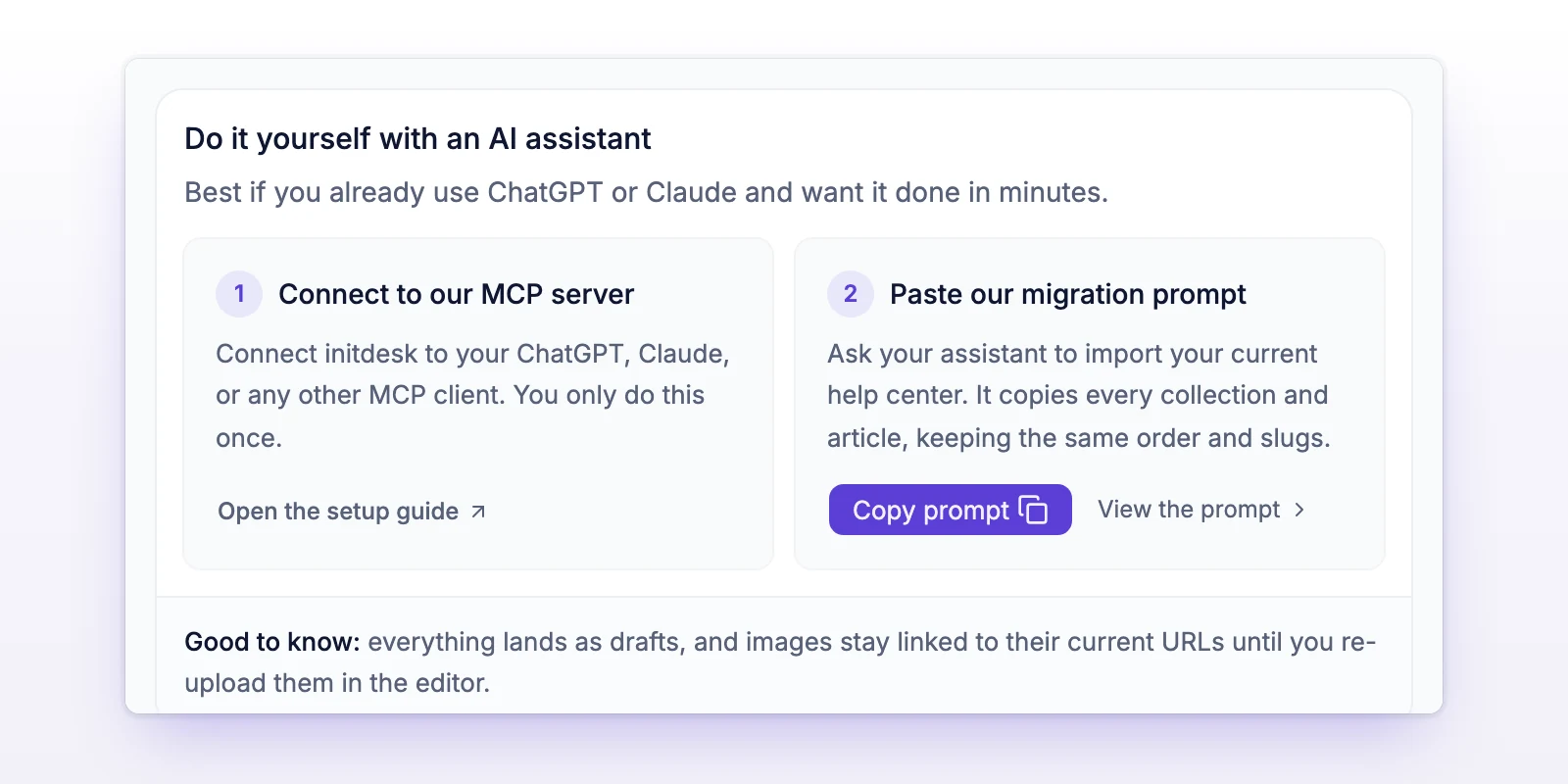
If your help center lives in another tool, an assistant can copy it into initdesk. Under AI & Knowledge, the Import your help center page has a Do it yourself with an AI assistant option. It walks you through Connect to our MCP server and gives you a prompt to copy. Everything arrives as drafts, and images keep pointing to their current addresses until you upload them again in the editor. See Import articles.
Restart the assistant and check that the connector shows as connected. In Claude, also check that the tools are on for the chat.
Disconnect the connector and connect it again. That runs the login again.
You may be looking at the wrong organization. Name the organization in your request.
Your initdesk role probably doesn't allow it. The assistant has the same limits you have in the app.