
Write agent instructions
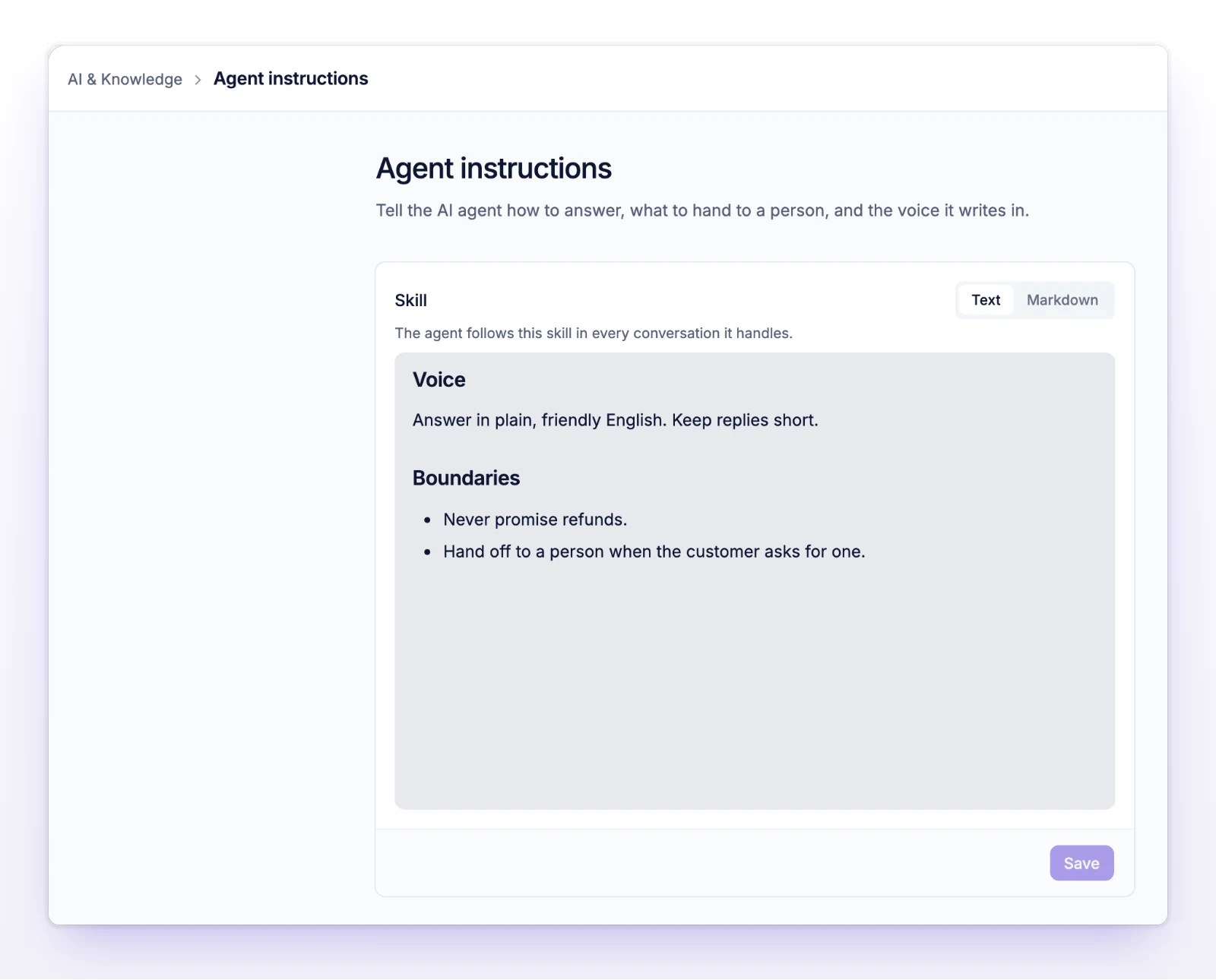
Write the Skill that tells initdesk's AI how to reply: your tone, what to avoid, and what to ask for. It shapes every AI draft you create.
Search portal content
Search portal content
Write the Skill that tells initdesk's AI how to reply: your tone, what to avoid, and what to ask for. It shapes every AI draft you create.
Write the Skill that tells initdesk's AI how to reply: your tone, what to avoid, and what to ask for. It shapes every AI draft you create.
The Skill is a set of instructions you write once. initdesk's AI reads it every time it drafts a reply to a ticket, so drafts sound like your team: your greeting, your level of formality, the things you never say.
Your organization already has a Skill. initdesk writes a first one when you create the organization. If you gave your website address, it reads your site to match your brand and product. If you didn't, it starts from a short, general support script. Either way, edit it so it fits how you write.
The editor has two views, Text and Markdown. Both edit the same document. Use Text for everyday writing. Use Markdown if you want to see or paste the raw characters. Switching never loses an edit.
The field starts with a prompt: write how the agent should answer, what it must never do, and when to hand off to a person.
A Skill that works well covers:
Keep it concrete. "Friendly" does little. "Greet the customer by first name, keep replies under 120 words, and never promise a refund date" gives the AI something to follow.
Your next draft uses the new Skill. Drafts you already created don't change.
The Skill can't be empty, and it can be up to 100,000 characters. If you leave the page with unsaved changes, initdesk asks whether to discard them.
The Skill applies to reply drafts. When you select Draft with AI in a ticket, the AI reads your Skill with the ticket, the customer's history, and your published articles. See Use AI drafts.
When instructions disagree, the AI follows them in this order:
So guidance for one draft wins over the Skill, and the Skill can't turn off a built-in rule.
The Skill is probably too general. Add real examples of an opening line and a closing line, and say what you never write. Then create a new draft and compare.
You tried to save a blank Skill. Write at least one line, or reload the page to restore the saved version.
The Skill is too long. Cut it down. Move product facts into help center articles.
Your change was not saved. Keep the page open, copy your text somewhere safe, and select Save again. If it keeps failing, open Help in the left sidebar and choose Send us a message.