
Use the command menu
Press Cmd or Ctrl + K to search tickets, open a customer, start a new ticket, or jump to any Settings page without leaving the keyboard.
Search portal content
Search portal content
Press Cmd or Ctrl + K to search tickets, open a customer, start a new ticket, or jump to any Settings page without leaving the keyboard.
Press Cmd or Ctrl + K to search tickets, open a customer, start a new ticket, or jump to any Settings page without leaving the keyboard.
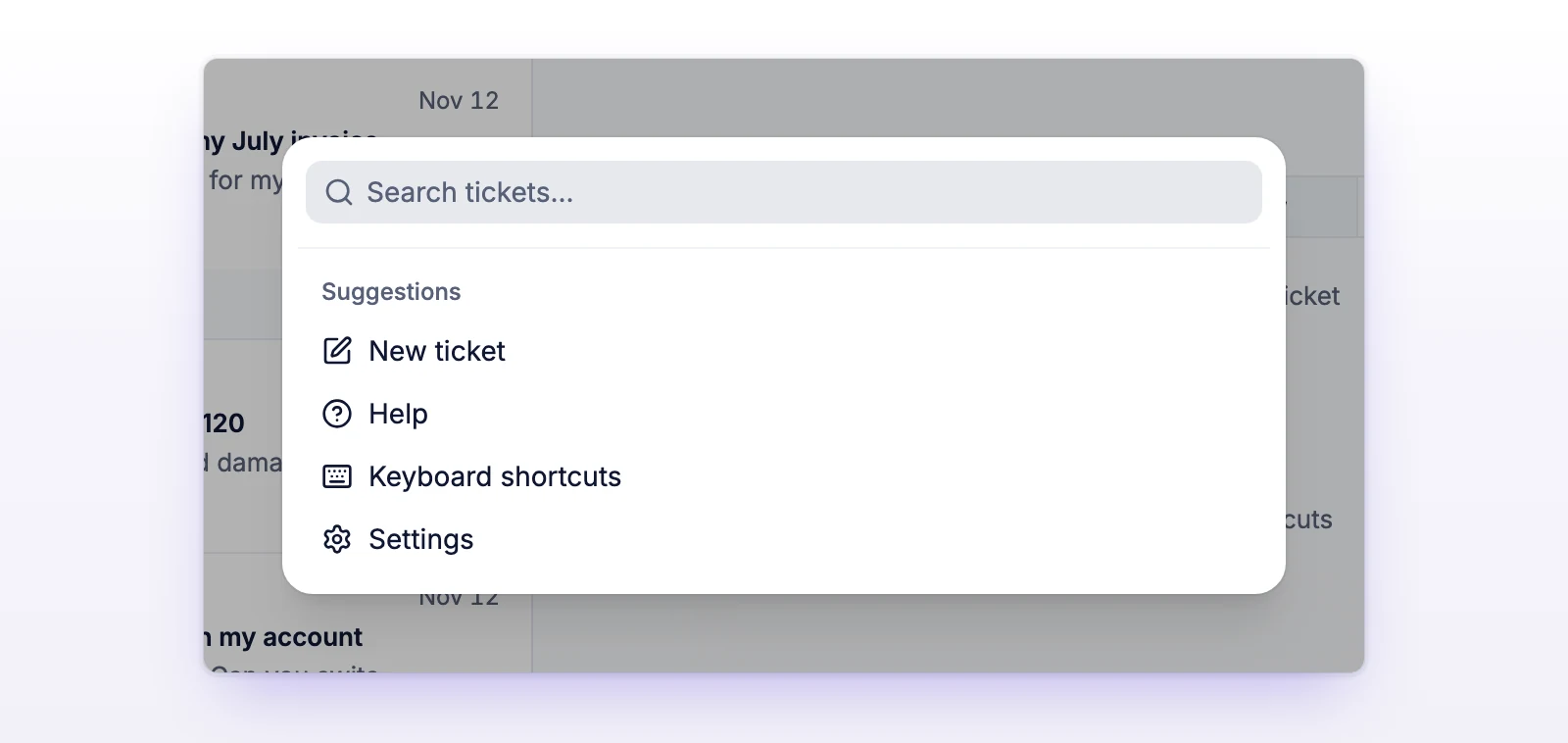
The command menu is one search box for the whole organization. Open it, type a few letters, and go to a ticket search, a customer, or a Settings page. It's the same dialog the app calls Search.
Press Cmd + K on a Mac, or Ctrl + K on Windows and Linux. It works on every page of your organization. The shortcut pauses while a dialog is open or while a change is saving.
Type in the box. What you see depends on what you type.
| You want to | Do this |
|---|---|
| Search tickets | Type your words and press Enter. The first result is Search tickets for and your words. It opens the ticket search. |
| Open a customer | Type at least 2 characters of a name or email. Matching people appear under Customers. Select one to open that customer. |
| Open a Settings page | Type part of the page name, such as "tags" or "billing". Matching pages appear under Settings. Select one to open it. |
| Start a ticket | With the box empty, select New ticket under Suggestions. |
| Open the Help page | With the box empty, select Help. |
| See the shortcuts | With the box empty, select Keyboard shortcuts. |
| Open Settings | With the box empty, select Settings. |
Use the arrow keys to move through the results and Enter to open one. If a customer list is long, scroll to the end of it to load more. The box takes up to 200 characters.
The shortcut pauses while a dialog is open or a change is saving. Close the dialog or wait, then press it again. See Keyboard shortcuts for when shortcuts pause.
Select Retry. Searching tickets and opening Settings pages still work.
Type at least 2 characters. If the customer still doesn't show, they may not exist yet. Try Search tickets for to find them in a ticket.